


-
Introduction
AI is only as good as the prompts you feed it, which is why high‑quality prompt libraries have become the new shortcuts to better outputs. Today, we’re comparing two popular options—AIPRM and FlowGPT—to help you decide where to discover, test, and reuse prompts that actually move the needle.
-
Overview
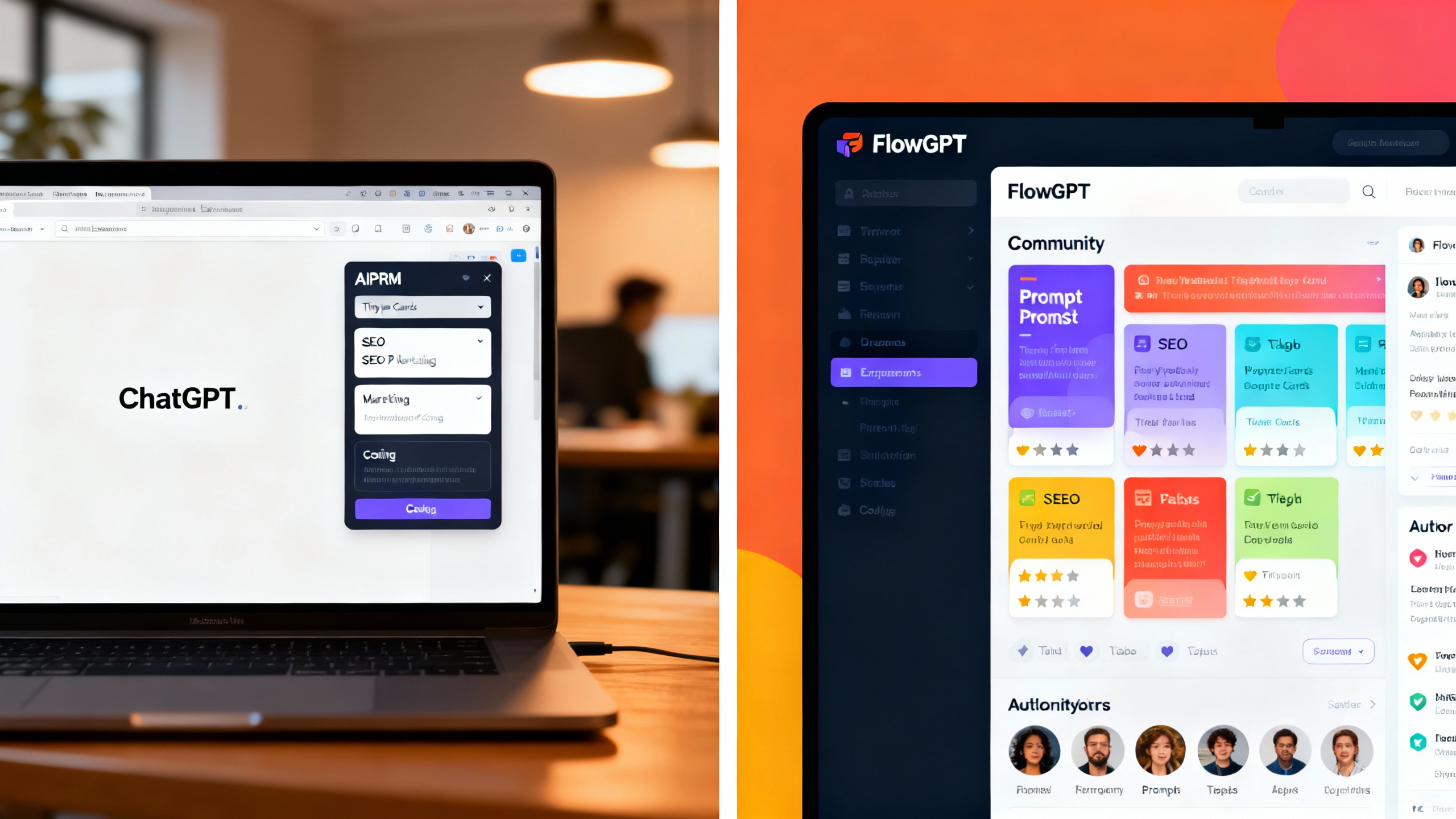
AIPRM is a prompt library that plugs directly into the ChatGPT interface via a browser extension. Its sweet spot is speed: you can browse curated prompts by category (e.g., SEO, marketing, coding), insert them in one click, and customize variables without leaving ChatGPT. It’s designed for operators who live in ChatGPT all day—agencies, growth teams, content ops—who want repeatable outputs and team‑wide consistency.
FlowGPT is a web‑first community for discovering, sharing, and rating prompts across models and use cases. You’ll find trending prompts, detailed examples, author notes, and collections for everything from research to image generation. It’s ideal for creators and tinkerers who like to test across models and prefer a broader, community‑driven discovery experience.
TipHow to evaluate a prompt fast
- Look for a clear objective and constraints (tone, length, audience).
- Prefer prompts with variables/placeholders you can adapt.
- Check examples and comments for failure cases.
- Test on a small, representative task before scaling.
-
Key Differences
Discovery and Curation
- AIPRM: Emphasizes curated lists and business‑oriented categories (SEO briefs, outreach, product descriptions). Ranking and tagging make it easy to find proven templates, especially for repetitive workflows.
- FlowGPT: Larger community breadth and rapid trend discovery. Great for exploring new techniques and niche tasks. Depth varies by author; the best prompts often include detailed instructions and variations.
Integration and Workflow
- AIPRM: Native‑feeling inside ChatGPT via extension; one‑click insertion and variables are stronger for day‑to‑day throughput. Less context‑switching, faster execution.
- FlowGPT: Web interface is better for research and comparison. You’ll typically copy/paste into your model of choice, though some browser helpers exist. Strong for exploration; slightly slower for production throughput.
Prompt Quality and Formats
- AIPRM: Consistent business templates (SOP‑style prompts, frameworks, persona patterns). Good for repeatability and team standardization.
- FlowGPT: More experimental and multi‑modal (text, image prompts). Useful for discovering emerging techniques and edge‑case solutions.
Pricing
- AIPRM: Free tier with paid plans for advanced features and team controls. Good value if your team standardizes on ChatGPT.
- FlowGPT: Core browsing is free; premium tiers support advanced features and sometimes enhanced model access. Strong for individuals ramping up quickly.
Privacy and Safety
- AIPRM: Operating inside ChatGPT means your data policies follow your OpenAI account plus the extension’s policies. Review extension permissions and org compliance needs.
- FlowGPT: Web‑based discovery; you decide what to copy into your model. Public prompts are community‑submitted—verify safety and compliance before adopting.
Team Collaboration
- AIPRM: Team‑friendly if you want shared, standardized prompts and governance.
- FlowGPT: Community collections are great for inspiration, but formal team governance typically requires your own internal documentation or separate tools.
Feature comparison
Dimension AIPRM FlowGPT Primary Mode ChatGPT extension (in‑UI) Web community (model‑agnostic) Strength Operational throughput, standardization Exploration, breadth, trends Prompt Types Business templates, SOPs, variables Experimental, multi‑model, creative Team Support Strong (shared prompts, consistency) Informal (collections, saves) Setup Install extension, sign in Visit site, copy/paste Best For Agencies, content ops, SEO, sales Creators, researchers, cross‑model users

-
Pros and Cons
AIPRM
- Pros
- Seamless ChatGPT integration for one‑click use and variables.
- Business‑oriented templates that scale well across teams.
- Helpful categorization and curation for common tasks.
- Cons
- ChatGPT‑centric; less flexible if you switch models frequently.
- Community prompts vary in quality; still requires validation.
- Browser extension may raise compliance questions in stricter orgs—review policies.
FlowGPT
- Pros
- Wide, fast‑moving catalog across text and image prompts.
- Strong discovery: trending, author notes, examples, and comments.
- Model‑agnostic; easy to test across providers.
- Cons
- Copy/paste workflow can slow production use.
- Quality varies; some prompts are more experimental than repeatable.
- Team governance and standardization are DIY unless you add other tools.
- Pros
-
Use Case Recommendations
- You live in ChatGPT for work: Choose AIPRM. The integrated experience and business‑grade templates let you go from idea to output faster with fewer errors. Great for SEO briefs, outreach sequences, ad variants, and content repurposing.
- You prototype across models or explore creative work: Choose FlowGPT. You’ll find fresh patterns—for research prompts, analysis chains, and image prompts—and can cross‑test without tooling lock‑in.
- You need team standards and repeatability: AIPRM has the edge due to shared prompts and consistent templates.
- You want breadth and trend‑spotting: FlowGPT is the better discovery engine; follow top authors and collections for rapid learning.
- Compliance‑sensitive environments: Either can work, but validate extension policies (AIPRM) and prompt provenance (FlowGPT). When in doubt, adapt public prompts into internal, vetted templates.
-
Verdict
If your day revolves around ChatGPT and you care about speed and consistency, AIPRM is the more efficient, operational choice. If you value exploration, multi‑model testing, and community‑driven discovery, FlowGPT is the better hunting ground. Many teams will benefit from using both: discover techniques on FlowGPT, then operationalize them in AIPRM for repeatable results.
For deeper craft, pair either tool with vendor best‑practice guides: see OpenAI’s prompting tips, Anthropic’s prompt guidelines, and Google’s generative AI prompt guide. Use public prompts as starting points—then refine, add constraints, and create your own internal library so quality compounds over time.