


-
The short answer
For most small businesses, Zapier is a strong yes—especially when you need to connect popular tools quickly, without hiring a developer. It’s a no-code automation platform that links triggers and actions across thousands of apps so your data moves on its own while your team focuses on higher-value work.
If your day is spent copying form submissions into a CRM, sending follow-ups, and reconciling orders into accounting, Zapier turns those chores into background processes. You’ll see the most value when your stack includes mainstream apps (think Google Workspace, Slack, Shopify, HubSpot, Airtable, QuickBooks) and your workflows are event-driven.

-
What Zapier does well for small teams
- Fast wins, no code: Create automations (“Zaps”) in minutes with plain-language triggers and actions. Non-technical team members can build production-ready workflows with confidence.
- Breadth of integrations: Zapier’s app directory covers most of the small-business stack, often with “instant” triggers that fire immediately and reduce latency compared to periodic polling. See the directory at Zapier Apps.
- Reliability at SMB scale: Zapier hosts and monitors the infrastructure, so you don’t manage servers or cron jobs. If something breaks, task logs and replay options help you recover.
- Templates and building blocks: Filters, Paths (conditional logic), Formatter (text/date/number wrangling), Webhooks, Looping, and utilities like Digest make complex jobs achievable without custom code.
- Growing product surface: Zapier offers add-ons like Interfaces (simple front-ends), Tables (lightweight database), Canvas (process mapping), and AI features to generate draft workflows. They’re optional but handy for prototyping.
The upshot: if your goal is to stitch together best-in-class apps for sales, marketing, commerce, or ops, Zapier’s speed-to-value is hard to beat.
-
Real-world small-business automations that work
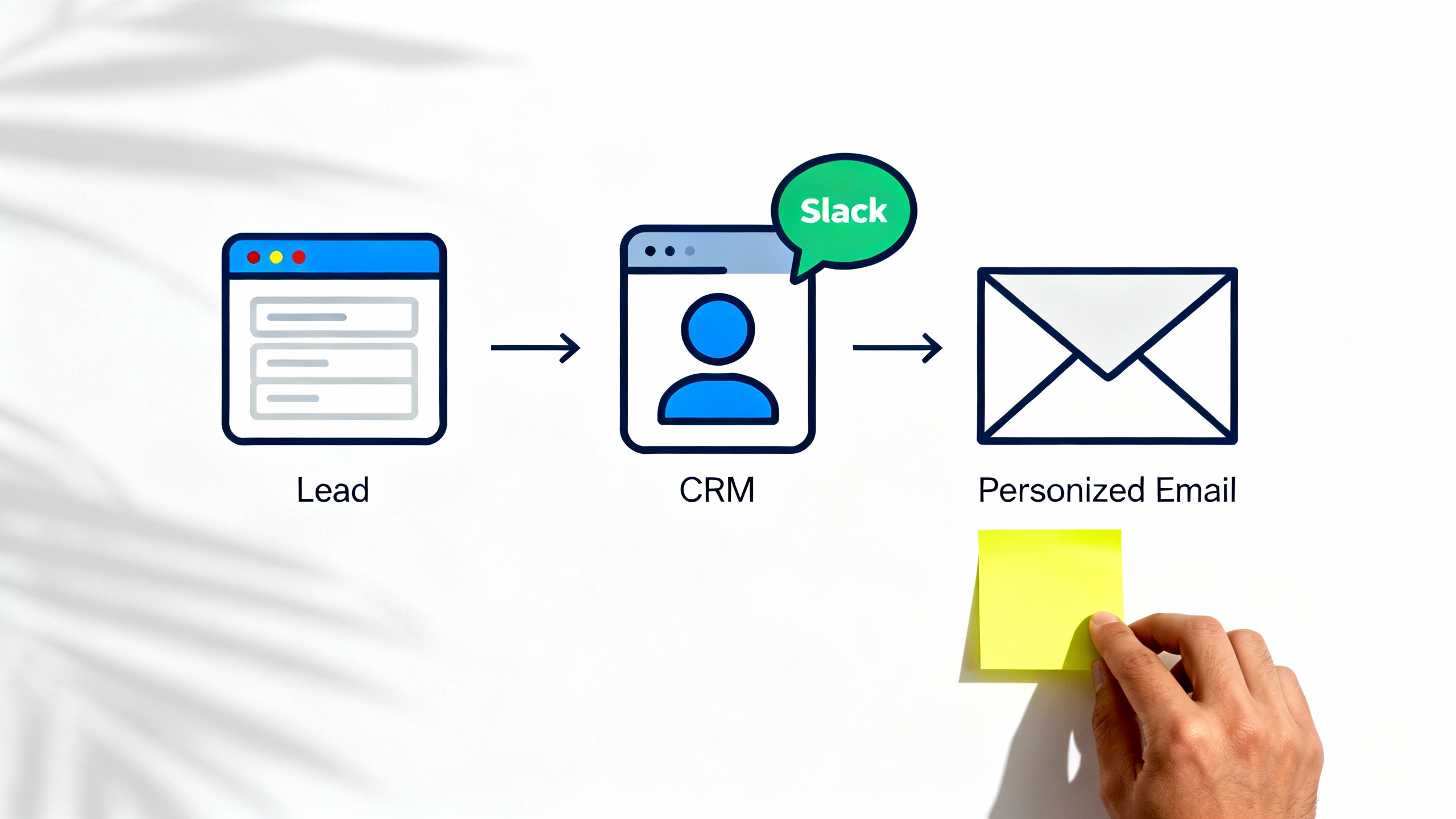
- Lead capture → CRM → Slack → email: When a form is submitted (Typeform/Gravity Forms), dedupe against your CRM (HubSpot/Pipedrive), create/update the contact, notify a channel in Slack, and send a personalized confirmation email.
- Shopify order → accounting + fulfillment: On new paid order, create an invoice (QuickBooks/Xero), add the customer to a nurture list (Klaviyo/Mailchimp), and post a shipping task to Trello/Asana. Use Filters to branch based on order value or product tags.
- Appointment → reminders → CRM activity: New Calendly event triggers SMS reminders (Twilio) and creates a follow-up task with due date in your CRM or project tool.
- Hiring intake → foldering → scheduling: A Google Form submission uploads the resume to a structured Drive folder, pings HR in Slack, and offers time slots via Calendly.
-
Pricing and the task math (read this before you scale)
Zapier pricing is primarily driven by “tasks”—each successful action in a Zap usually counts as one task. A single workflow run with five actions typically consumes five tasks. Filters and formatters may not count as tasks, while searches and utility steps often do; exact behavior can vary by app and step type.
A quick way to estimate your monthly cost:
- Count your average daily events per workflow (e.g., 50 leads/day).
- Multiply by the number of actions per run (e.g., 3 actions = 150 tasks/day).
- Multiply by working days/month (e.g., ~22 business days ≈ 3,300 tasks/month) or use 30 for calendar months (4,500 tasks/month).
- Add a buffer (20–30%) for retries and spikes.
Plans and limits evolve; check current tiers and polling speeds at Zapier Pricing. Instant webhooks are near real-time, while polled triggers refresh on a schedule that’s faster on higher tiers. If you process high volumes or run multi-step workflows all day, costs can add up; consider batching (Digest), combining steps, or exploring alternatives when you cross certain thresholds.
-
Where Zapier can fall short
- High-volume economics: Thousands of multi-step runs per day can become expensive relative to a custom script or open-source workflow engine.
- Complex branching and heavy data transforms: Zapier can do logic, but deep conditionals, loops across large arrays, or multi-record transactions get unwieldy.
- API limits and rate throttles: You’re still subject to the connected app’s API ceilings. Zapier will retry, but throughput can bottleneck.
- Observability at scale: Logs are good for SMB needs, but not enterprise-grade tracing. You’ll need disciplined naming, alerting, and documentation.
- Polling latency: If an app doesn’t support “instant” triggers, events may arrive on a delay; higher tiers reduce this, but it’s not always zero.
-
Data privacy and security considerations
Zapier publishes details on SOC 2 Type II, encryption, SSO, and data handling at Zapier Security and provides a DPA for GDPR compliance. You should still practice data minimization: only send fields you need, redact sensitive values, and avoid long-lived secrets in plain text.
TipSafer-by-default builds
- Prefer instant, signed webhooks where available over email parsers.
- Use app-scoped tokens with least privilege; rotate tokens periodically.
- Mask PII in logs when possible; don’t include secrets in task names.
- Use Tables/Storage for idempotency keys to prevent duplicates.
-
Alternatives worth a look (the short list)
Automation tools snapshot
Tool Best for Relative cost Strengths Trade-offs Zapier Quick no-code across popular apps $–$$ Huge app directory, great UX, reliable hosting Can get pricey at scale; complex logic can be clunky Make (Integromat) Visual mapping and complex flows $–$$ Powerful router/aggregator steps, granular control Learning curve; modules may be app-specific n8n Open-source control $ Self-host or cloud; extensible nodes Requires DevOps; fewer plug-and-play templates Microsoft Power Automate Microsoft-centric stacks $$ Deep M365/Dataverse integration Licensing complexity; non-MS apps vary Pipedream Dev-friendly event pipelines $–$$ Code-in-the-loop, fast webhooks More technical; smaller non-dev audience IFTTT Simple consumer-grade automations $ Very easy, basic triggers Limited business depth Explore: Make, n8n, Power Automate, Pipedream, IFTTT.
-
A quick decision framework (5 checks)
- App coverage: Are your core tools supported with the triggers/actions you need? Confirm in the Zapier directory.
- Latency needs: Do you need real-time? Ensure instant triggers or webhooks exist; polling might be fine for nightly syncs.
- Task economics: Estimate tasks/month per Section 4. If costs exceed a few hundred dollars monthly, compare with Make or n8n for high-volume jobs.
- Complexity ceiling: If your workflow requires heavy branching, loops across large datasets, or transactions, architect it as a hybrid (Zapier for orchestration + microservice for the heavy lift).
- Exit strategy: Document your workflows (Zapier Canvas), keep data schemas in Git/Docs, and avoid one-way dependencies so you can move later if needed.
-
Build it right: practical tips that prevent headaches
- Name like a pro: “Area – Trigger – Outcome – v1” (e.g., “Leads – Form to HubSpot + Slack – v1”). Future you will thank you.
- Guard with Filters early: Filter on must-have fields (email present, consent true) before you incur downstream tasks.
- Prefer instant triggers/webhooks: They’re faster and more reliable. Many apps now support them.
- Handle duplicates: Store processed IDs (Storage/Tables) and check before create. Use upserts when the app supports them.
- Batch non-urgent messages: Digest and send every hour/day to reduce noise and task counts.
- Instrument errors: Use “Zapier Manager” to notify Slack on failures, and schedule a weekly report of errors and top Zaps by volume.
- Map data deliberately: Use Formatter to normalize dates, phone numbers, and currency so downstream apps behave.
- Version consciously: Clone a Zap to “- v2 (Draft)” for changes; switch over only after test runs succeed.
- Document the happy path and edge cases: A one-page doc per Zap saves hours when something goes sideways.
-
Verdict: Is Zapier good for small businesses?
Yes—Zapier is an excellent fit for many small teams that want dependable, no-code automation across popular apps without hiring more headcount. It excels at turning everyday copy/paste work into quietly reliable flows, it scales comfortably through typical SMB volumes, and it’s easy to learn.
Where it’s less ideal: very high-volume, heavily branched, or compliance-bound workflows. In those cases, keep Zapier for orchestration and notifications while offloading the heavy lifting to a specialized tool or lightweight code, or consider an alternative platform designed for your constraints.
Bottom line: start with Zapier for fast wins. Measure the time you save, keep an eye on task economics, and evolve your architecture as your business grows.