

TL;DR — what changed and why it matters
Google flipped two big switches this month. First, it added SynthID-powered video checks to the Gemini app, so anyone can upload a clip and see if Google’s invisible watermark is present in the visuals or audio — down to the exact segments. Second, Google made Gemini 3 Flash its default model in both the Gemini app and AI Mode in Search, bringing faster, lower-latency reasoning to everyday tasks. Together, these moves tighten the loop between trustworthy media and speedy AI assistance. Details, Flash announcement, Search rollout.
What Google rolled out — with dates
- On December 17, 2025, Google introduced Gemini 3 Flash and set it as the default model in the Gemini app, with a parallel rollout to AI Mode in Search globally. Users can still opt into other models when needed. Official blog, Search update.
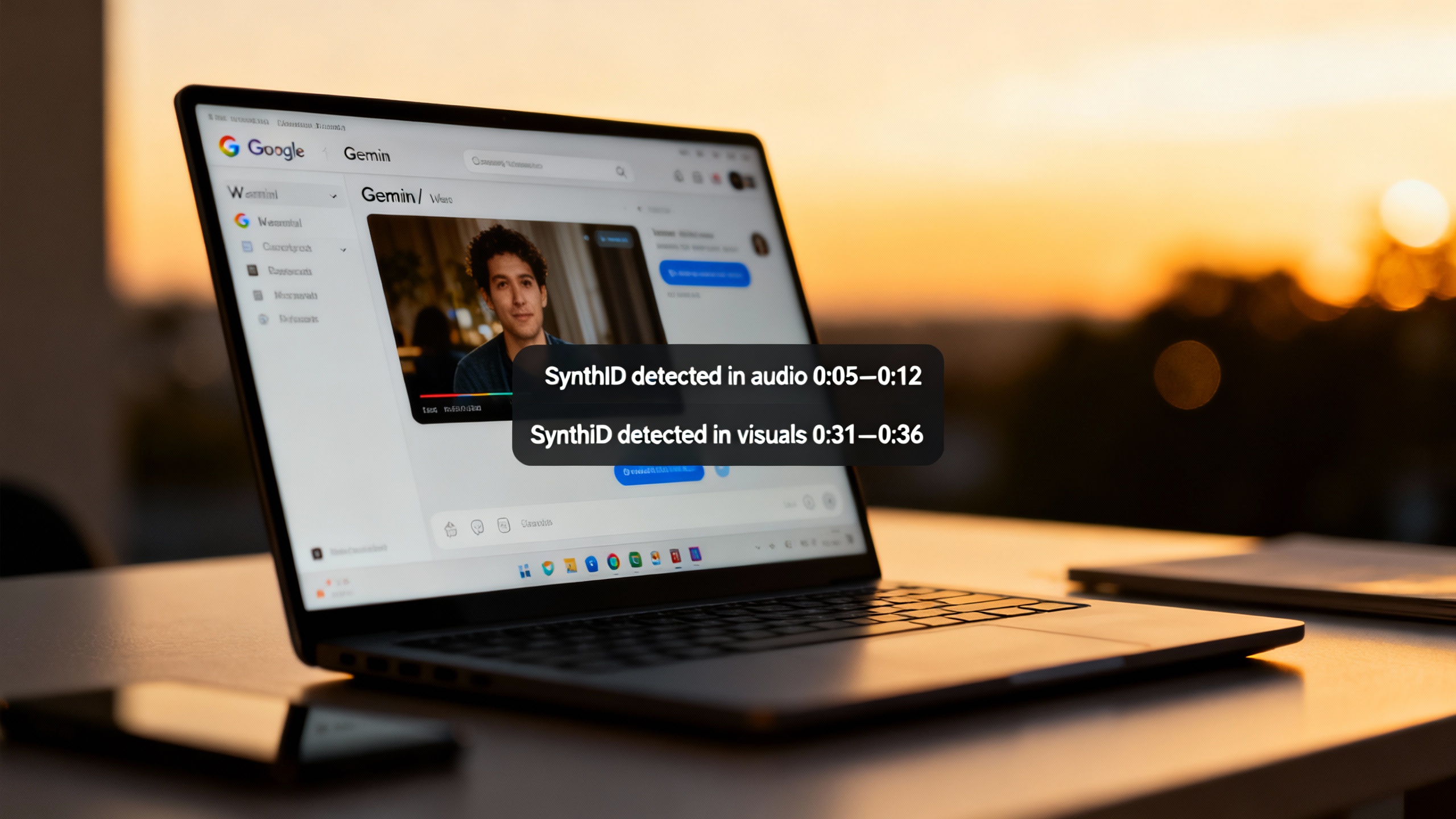
- On December 29, 2025, Google confirmed that the Gemini app now performs video verification using SynthID: you can upload a clip and ask whether it was created or edited with Google AI. The app scans the video and audio tracks, and points out the exact segments where the watermark appears. Roundup post, Help page.
SynthID video checks, explained
SynthID is Google DeepMind’s invisible watermarking tech for AI media. It embeds a signal directly into content at creation time — images, video, audio, even some text — so later you can verify provenance without changing how the media looks or sounds. DeepMind overview.
How it works in Gemini today:
- Upload one video (max 100 MB, ≤90 seconds). Gemini scans both the picture and sound for SynthID, and returns segment-level findings like “detected in audio at 0:06–0:14; none in visuals.” Help page, December update.
- It only confirms content made or edited with Google’s AI tools (for example, Veo video or Lyria audio). It won’t detect watermarks from non‑Google systems. DeepMind overview.
- Practical limits: checks are capped (approx. 10 video checks/day, and up to ~5 minutes of total video length per day). Help page.
Why this matters now:
- The web is saturated with AI video, and simple “is it fake?” judgments are brittle. Segment-level provenance adds nuance: the voiceover might be synthetic while the footage isn’t — or vice versa. Coverage: The Verge, Android Authority.
- SynthID’s footprint is growing (Google says billions of AI items carry it), and partners like NVIDIA have committed to adopt it in their model outputs, increasing the odds that provenance survives sharing and light edits. Google I/O post, NVIDIA partnership note.
TipTry SynthID video checks in 30 seconds
- Go to the Gemini app on the web and upload a short clip (≤90s, ≤100 MB).
- Ask: “Was this generated using Google AI?” or just type
@synthid. - Read the segment-by-segment result. Remember: no detection doesn’t mean “human-made” — it only means no Google watermark was found.
Gemini 3 Flash becomes the default
Gemini 3 Flash is built for low latency with “Pro‑grade” reasoning. Making it the default means most people get faster answers without toggling models — and developers can design flows that assume snappier, multimedia understanding by default.
Highlights from Google’s notes:
- Default status: now standard in the Gemini app worldwide and in AI Mode for Search globally. Flash announcement, Search update.
- Multimodal reasoning: strong at parsing images, short video, and audio alongside text, which pairs nicely with the new video checks. Flash announcement.
- Performance and pricing for builders: Google cites leading scores on multimodal benchmarks and positions Flash as fast and cost‑efficient (listed at $0.50 per 1M input tokens, $3 per 1M output tokens at launch). Official blog, TechCrunch coverage.
Gemini 3 Flash at a glance
| What | Where/How |
|---|---|
| Default model | Gemini app (global), AI Mode in Search (global) |
| Access for devs | Gemini API via AI Studio, Gemini CLI, Antigravity, Vertex AI, Gemini Enterprise |
| Strengths | Fast reasoning, solid multimodal understanding, good for quick, repeatable workflows |
| Example uses | Short‑video analysis, data extraction from images, visual Q&A, planning |
| Indicative price | $0.50/1M input tokens; $3/1M output tokens (at launch) |
What this unlocks for teams
- Trust and brand safety: marketers and agencies can verify whether campaign assets incorporate Google‑generated elements before publishing, a useful proof point as disclosure rules spread. New York, for instance, now requires ads to disclose the use of “synthetic performers.” Governor’s office, bill text.
- Review at the speed of content: with Flash as default, content reviews, rough cuts, and quick analyses happen faster — especially when you’re mixing text, screenshots, and short clips in a single prompt. Search update.
- Cleaner handoffs to build: developers can prototype checks and multimedia workflows in AI Studio and Vertex AI with the same default model end‑users see. Flash announcement.
Caveats and open questions
- SynthID is Google‑specific. If content was generated on another platform without SynthID (or with a different scheme), Gemini can’t verify it. That’s why Google also references C2PA content credentials for broader, cross‑platform provenance — promising, but still uneven in practice. Image verification post.
- Watermark robustness is strong against common edits, but not invincible after heavy transformations. Treat results as provenance signals, not universal deepfake detection. DeepMind overview.
- Default models evolve. If your team locks workflows to a specific Flash/Pro behavior, pin the model version in your API usage to avoid surprises when defaults change. Gemini API changelog.

How to try it now
- Open the Gemini app. Confirm “Gemini 3 Flash” is selected (it’s the default; you can switch models from the picker when needed).
- Drag in an image, short video, or an audio snippet and ask a question — Flash handles multimodal prompts well. For video provenance, keep uploads ≤90s and ≤100 MB. Help page.
- For search tasks, toggle AI Mode at google.com to get Flash‑powered answers with links and live info.
Sources
- Google: Gemini 3 Flash — frontier intelligence built for speed
- Google: Gemini 3 Flash is rolling out globally in Google Search (AI Mode)
- Google: The latest AI news we announced in December
- Google Help: Verify Google AI‑generated images and videos with SynthID
- DeepMind: SynthID — watermarking and identifying AI‑generated content
- TechCrunch: Google launches Gemini 3 Flash, makes it the default model in the Gemini app
- The Verge: Gemini can now check if a video was made with Google AI
- Office of the Governor, NY: Synthetic performer disclosure law signed Dec 11, 2025