

-
Introduction
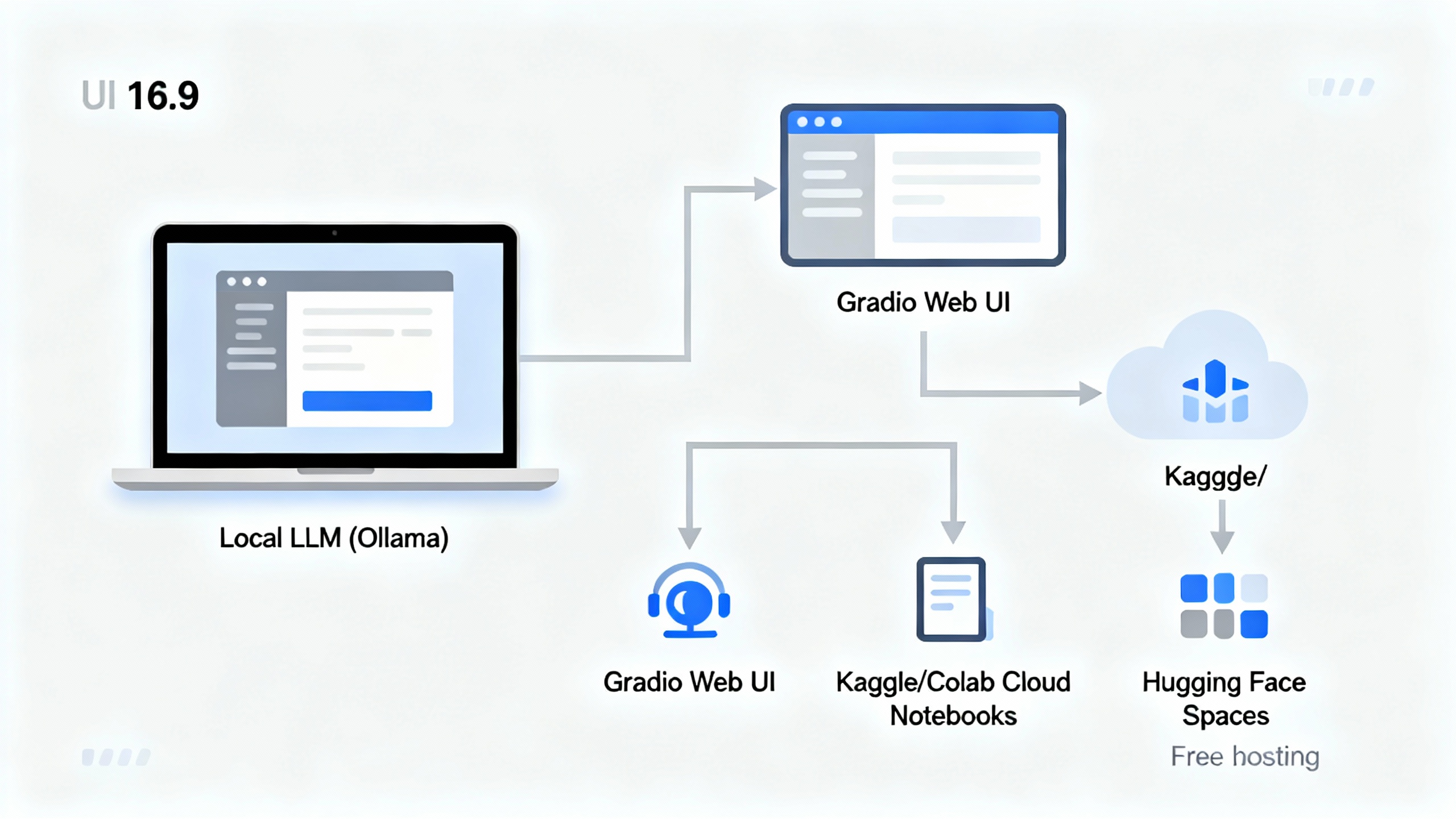
You don’t need a paid API key to build something genuinely useful with AI. In this tutorial, you’ll assemble a zero-cost stack to chat with open models, summarize documents, transcribe audio, and even generate images—then put it online for others. You’ll use approachable tools like Ollama or LM Studio to run models locally, Gradio for a simple interface, and free hosting in Hugging Face Spaces. Along the way, you’ll learn pragmatic choices that keep things fast, private, and free.
-
Preparation
Before we start, gather a few tools (you can mix and match based on your comfort):
Free, beginner-friendly AI stack
Tool What it’s for Free angle Ollama / LM Studio Run LLMs locally One-click downloads; CPU-friendly quantized models Hugging Face Models, datasets, Spaces hosting Massive open repository and free public hosting Gradio Quick web UIs Simple, no-frills app scaffolding Kaggle Notebooks / Google Colab Free cloud compute Run notebooks with free CPU/GPU sessions Cloudflare Workers AI Serverless inference Generous free tier for certain models
-
Step 1: Define the Job
Don’t start by picking a model. Start with a job you can measure:
- Draft and polish emails or blog paragraphs.
- Summarize PDFs or webpages into bullet points.
- Transcribe meeting audio and produce action items.
- Generate moodboard images for product ideas.
Write a one-sentence success metric. Example: “Given any 5–10 page PDF, produce a concise, accurate 10-bullet summary in under 60 seconds.” This north star guides every choice you make.
-
Step 2: Choose a Free, Fit-for-Purpose Model
Select models matched to your task and hardware:
- General chat and writing: Meta’s Llama 3.1 8B Instruct (overview) or Mistral 7B Instruct (models).
- Coding help: Qwen 2.5 Coder small models (Hugging Face collection).
- Embeddings for search/RAG: bge-small or bge-base (BAAI bge models).
- Speech-to-text: OpenAI Whisper small/base (GitHub).
- Image generation: Stable Diffusion 1.5 or SDXL variants (Stability AI on HF).
-
Step 3: Run a Model Locally (Ollama or LM Studio)
- Install Ollama or LM Studio. Both let you download and run models with minimal setup.
- Pull a small instruction-tuned model (for example, a 7–8B instruct model). Quantized variants (GGUF) are ideal for CPU and 8–16GB RAM.
- Test a few prompts locally: ask for outlines, rewrites, or short answers. Measure response time and quality. If it’s too slow, try a smaller or more heavily quantized model.
For the tinkerer who wants more control, llama.cpp and text-generation-webui are robust alternatives.
-
Step 4: Add a Simple UI with Gradio
A friendly web interface turns your local model into a usable tool for you (and later, your team):
- Set up a chat interface with a system prompt that reminds the model of its role and tone.
- Add slots to upload a PDF or paste a URL. The app can extract text, chunk it, create embeddings, and pass relevant chunks to the model for summarization.
- Keep it honest: show token counts, latency, and a “reset chat” button for clean testing.
TipPrompt scaffolds that work
Use short, direct instructions and examples. Frame outputs: “Return 10 bullet points,” “Use concise, active voice,” “Cite page numbers when possible.”< <endcallout>> <<image id="1" alt="A clean Gradio chat interface with a sidebar for uploading a PDF and options for summary length.">> 7. ## Step 5: Use Free Cloud Compute (Kaggle or Colab) When Needed If your laptop struggles, move to a free notebook:
- Open Kaggle Notebooks or Google Colab and search for starter notebooks for your chosen model.
- Mount or upload small test files (e.g., a sample PDF) to iterate quickly.
- When running long jobs, save intermediate artifacts to avoid rework. Keep your notebook tidy with clear sections: setup, model load, inference tests, and evaluation prompts. If you rely on third-party endpoints, never paste secrets into public notebooks.
-
Step 6: Deploy for Free (Hugging Face Spaces or Workers AI)
Make your assistant accessible with one click:- Hugging Face Spaces: Wrap your Gradio app and push to a public Space. It’s excellent for demos and portfolios, and you can pin model versions for reproducibility. Start here: Hugging Face Spaces.
- Cloudflare Workers AI: If you’d rather call hosted open models via an edge API, explore their free tier. Great for lightweight, globally distributed inference. Learn more: Workers AI. Add a short README that explains the use case, model(s), and any caveats (runtime, limits, licensing).
-
Step 7: Make It Smarter with Lightweight RAG
Retrieval Augmented Generation (RAG) helps your model answer from your documents instead of guessing:- Chunk your document into small passages (e.g., 300–500 tokens) and create embeddings with a free model (bge-small).
- Use a local index like FAISS or even a simple SQLite table with cosine similarity.
- At query time, retrieve the top passages and include them in the prompt context. Keep the context concise to save tokens and reduce drift. <<callout type="action" title="Minimal RAG checklist">>
- Extract text from PDF; 2) Clean and chunk; 3) Embed chunks; 4) Store locally; 5) Retrieve top-k for each query; 6) Prompt with retrieved context; 7) Evaluate answers against a known-good summary.< <endcallout>>
-
Pro Tips and Common Mistakes
- Prefer small, instruction-tuned models first. They’re faster and surprisingly capable for focused tasks.
- Quantization is your friend. GGUF 4-bit models slash memory use with a small quality tradeoff.
- Cache everything. Reuse embeddings and avoid reloading models to keep things snappy.
- Respect licenses and privacy. Don’t upload sensitive data to public endpoints and review usage terms.
- Measure, don’t guess. Keep a simple rubric (accuracy, latency, tokens). Try three prompts and pick the best, not the fanciest.
- Don’t overstuff context. More text isn’t always better; retrieve the most relevant snippets only.
-
Conclusion
You just built a capable, zero-cost AI assistant by combining local models, a simple UI, and free hosting. Start small with a single high-value task—summarizing PDFs, drafting emails, or transcribing meetings—then layer in retrieval, better prompts, and optional hosting. When you hit performance limits, you’ll have a working baseline to justify upgrades—or to keep things lean and free. Keep iterating, keep measuring, and let your assistant prove its worth before you ever reach for a credit card.