

-
Introduction: Why field notes matter
Operator field notes—runbooks, SOPs, shift logs, and those “this saved us last time” pages—are the difference between calm control and chaos. Unfortunately, they’re also famously scattered: wikis, Git repos, PDFs on shared drives, ticket comments, even the back of a physical notebook.
When you centralize and standardize field notes, you shrink time-to-resolution, reduce cognitive load for on-call operators, and make onboarding far less painful. In this guide, you’ll learn a pragmatic, automation-friendly workflow to find what exists, pull it together, and make it instantly discoverable—without stopping the world to “re-document everything.”
-
Preparation: What you’ll need
- Access to your common knowledge systems (e.g., Confluence/Notion, GitHub/GitLab, Google Drive/SharePoint, Slack/Teams, your ticketing system, CMMS/EAM if you’re in facilities or manufacturing).
- An appointed owner (you or a peer) and a 2–3 hour time block to run the first sweep.
- A lightweight intake spreadsheet to inventory what you find (columns: Title, Source, Link, System/Asset, Owner, Last Updated, Confidence, Tags).
- A destination workspace (a new wiki space or a dedicated repo folder) to centralize results.
- Optional but powerful: a basic semantic search stack (e.g., OpenSearch or Haystack) to supercharge discoverability once you’ve consolidated.
TipPick one home
Decide up front where your “Field Notes” live. Centralization beats perfection. You can refactor later; just choose a single front door now.
-
Step 1: Map where notes already live
Start by listing the usual hiding places and how to query them. Your goal isn’t to read everything—just to surface candidates fast.
Common systems and what to search
System What to look for Useful queries/filters Wiki (Confluence/Notion) Runbooks, SOPs, “How we fix X”, Postmortems Search for terms like runbook, SOP, playbook, incident, operator, field notes; in Confluence, use CQL: title ~ "runbook" or text ~ "playbook" [^5] Git repos Markdown docs, scripts with comments, ops folders Search for README.md, docs/, ops/, runbook, oncall; scan commit messages containing “incident”, “SOP” Shared drives PDFs, Word docs, images of whiteboards Filter file types: PDF/DOCX, keyword runbook, SOP, escalation, checklist Ticketing (Jira/ServiceNow) Resolved incidents with documented steps Search resolved tickets tagged workaround, KB, runbook; export links to notes Chat (Slack/Teams) Pinned messages, “lessons learned” threads Use advanced search: has:pin and keywords like runbook, SOP; filter by channel (e.g., #oncall, #ops) [^4]
-
Step 2: Run a smart search sweep
Work system-by-system. For each, run focused queries and skim results to capture candidates in your intake spreadsheet.
- Wiki: Search titles and body for runbook, SOP, incident, “how to restart,” “emergency,” “recovery.” If you have Confluence, learn CQL basics to filter by space and last modified [^5].
- Git: Search docs and scripts; look for a docs/ or ops/ folder. Check README.md for operational notes. Use your platform’s code search to find “runbook” or “SOP”.
- Shared drives: Filter by file type (PDF/DOCX) and date. Skim first page to judge value; mark anything with clear steps.
- Ticketing: Search resolved incidents for “workaround” or “KB article created.” Many tools let you export knowledge base articles.
- Chat: Check pinned messages in #oncall and #ops channels; search for “we fixed this by” or “steps.”
Don’t strive for completeness—aim for a 70% sweep in 90 minutes. You’re building a pipeline, not a museum.
-
Step 3: Create a "Field Notes" workspace
Spin up a dedicated space, repo, or folder called “Field Notes” with clear subfolders by system or asset. Add a landing page that answers: what this is, who owns it, how to contribute, and how to search.
- Suggested structure: Systems (App A, App B), Infrastructure (DB, Cache, Network), Facilities (Line 1, Chiller, Boiler), Shared (Escalations, Checklists).
- Link back to original sources when consolidating—don’t create orphaned copies you can’t update.

-
Step 4: Standardize a one-page template
A consistent layout makes notes skimmable under stress. Keep it single-page, action-first.
One-page field note template
Section Purpose Example prompt Context When to use this note “Applies when service X alarms Y in region Z.” Quick check 30-second sanity checks “Is the load balancer healthy? Is disk >90%?” Steps Ordered, testable actions “1. Drain node; 2. Restart service; 3. Verify health endpoint.” Verification How to confirm success “Dashboard ABC is green; error rate <1%.” Escalation Who to call if stuck “DB on-call, pager group 123.” Owner & review Accountability “Owner: Platform Ops; Next review: 2025-06-01.” Tags Search hooks “system:payments, severity:high, environment:prod” Borrow ideas from established practices like Google SRE’s runbook guidance and incident response playbooks [^2][^3].
-
Step 5: Import and normalize existing notes
- Wikis: Move or mirror pages into the new space; keep a canonical link. Add the template sections to older notes as headers, even if some are blank.
- PDFs/Scans: Use OCR to extract text (e.g., Tesseract) and paste into the template. Attach the original PDF for provenance [^6].
- Repos: Link code-adjacent docs into the workspace; avoid duplicating command snippets that quickly drift.
- Tickets: Turn recurring fixes into formal notes. One durable note beats ten buried comments.
Deduplicate as you import. If two notes cover the same failure, merge them and note the rationale.
-
Step 6: Add metadata and tags for discoverability
Add a small, fixed taxonomy so search works under pressure.
- Required tags: system/app, component, environment (prod/test), severity (low/med/high), domain (app/infrastructure/facility), owner.
- Optional: asset ID, location/region, vendor, last verified date, dependencies.
- Put tags in the title if your tool lacks rich metadata. Example: “[Payments][Prod][High] Restarting the Auth Service.”
Establish a lightweight review cadence (e.g., quarterly) so stale notes don’t mislead. Expire notes that haven’t been verified in 12 months unless explicitly exempted.
-
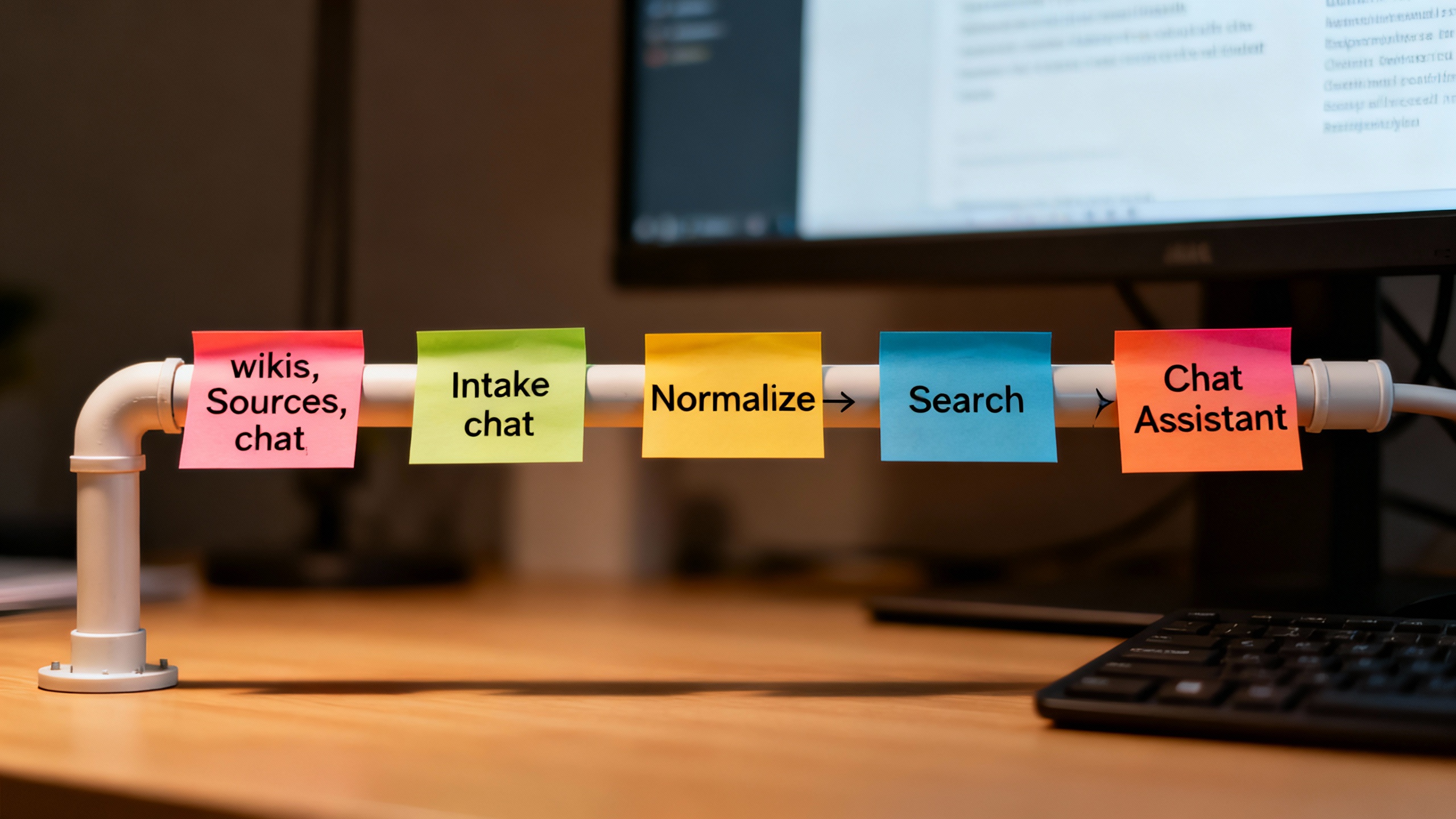
Step 7: Build search—and a chat assistant—on top
Start with your platform’s native search, then layer in semantic search if you have many notes or mixed formats.
- Baseline: Enable space-wide search with filters by tag, owner, and last updated. Promote your “Field Notes” space so it ranks first.
- Semantic: Index your notes (title, body, tags) into OpenSearch or similar; add vector search for synonyms (runbook/playbook/fix) [^7].
- Chat assistant: Use a retrieval-augmented generation (RAG) approach (e.g., Haystack) to let operators ask natural questions like “How do I recover DB connections in prod?” and receive cited answers [^8].
-
Pro tips and common mistakes
- Keep notes action-first; link deep technical context rather than embedding it.
- Put “Last verified” at the top. If it’s stale, operators should know immediately.
- Attach dashboards and run commands as links, not screenshots, so they don’t rot.
- Don’t over-tag. Five stable tags beat twenty creative ones.
- Avoid branching sources. One canonical note per fix, referenced everywhere else.
- Measure outcomes: time-to-first-answer, note usage, and mean time to restore (MTTR) trends.
-
Conclusion: Ship it and keep it fresh
You now have a practical path: find what exists, centralize it, standardize a one-page template, enrich with tags, and add search (plus optional chat) for quick discovery. Start small: one workspace, one template, one owner. After your first sweep, announce the “Field Notes” hub, invite contributions via the intake form, and schedule a quick quarterly review.
The payoff is real: fewer frantic scrambles, faster fixes, and happier humans on the front line.