

-
The short answer: yes—with asterisks
AI is already a powerful productivity tool for many knowledge tasks: drafting, summarizing, coding assistance, data cleanup, and customer support. In controlled settings, it cuts task time and raises baseline output for a large portion of workers. The caveat: it’s uneven. AI amplifies good processes, and it magnifies bad ones. It also introduces new failure modes (hallucinations, confidentiality risks, over-reliance) that require guardrails.
Studies show consistent gains:
For context and further reading: McKinsey on GenAI’s economic potential, Noy & Zhang’s writing study, MIT/Stanford call center paper, and GitHub Copilot research. Microsoft’s Work Trend Index summarizes early enterprise results.
-
What “productivity” means in the AI era
Productivity isn’t just “faster.” For knowledge work, it’s a blend of:
- Speed: time-to-draft, cycles-to-complete, time-to-insight.
- Quality: accuracy, clarity, correctness, and customer satisfaction.
- Throughput and reach: handling more requests, serving more customers, or producing more experiments.
- Cognitive load: how much mental effort the work demands.
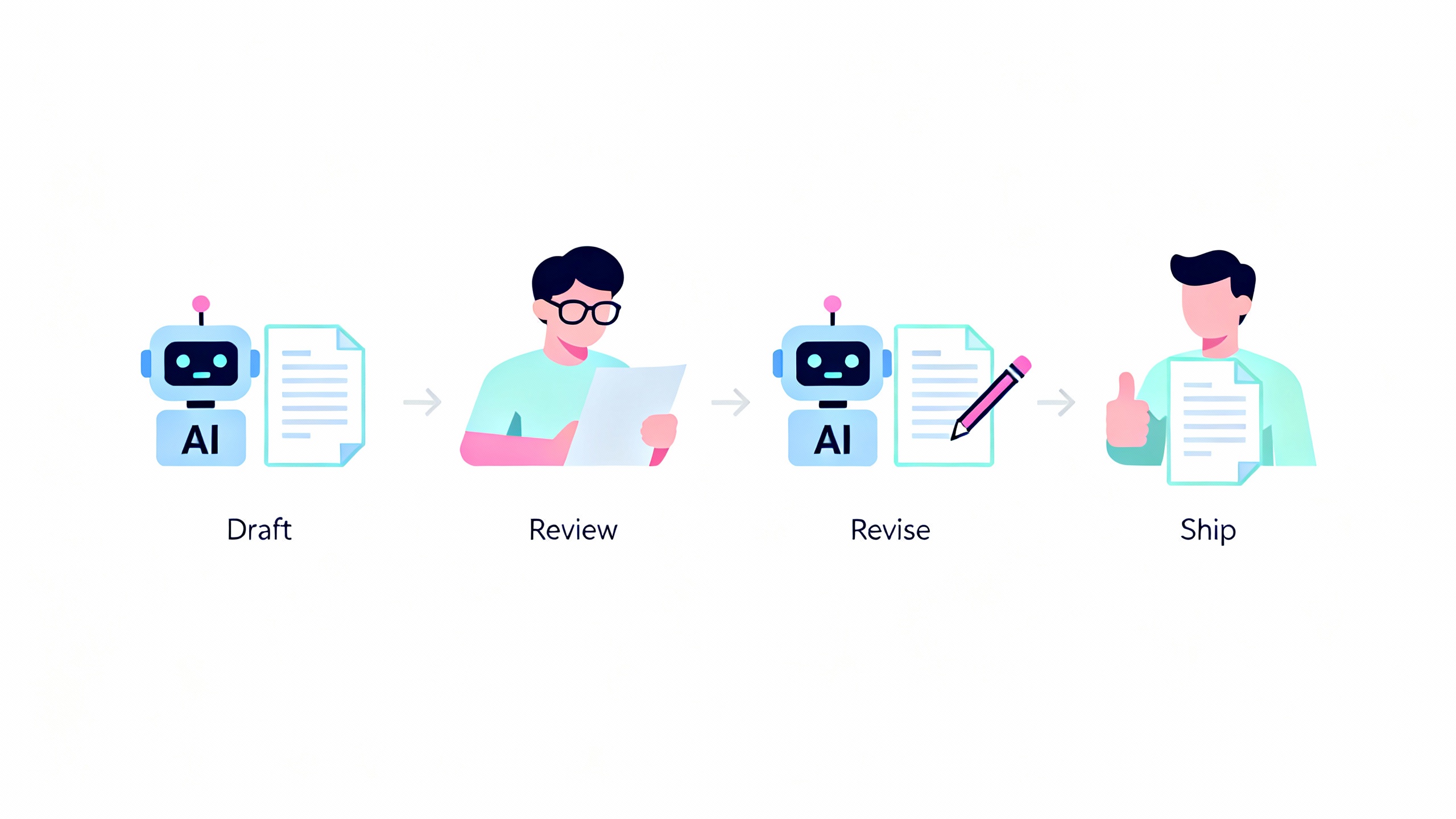
AI can move the needle on all four. A tool that drafts a solid first version reduces time and cognitive load while often improving quality (through style and structure templates) when paired with human review.
-
Where AI clearly boosts productivity today
- Writing and editing: emails, briefs, FAQs, and policy drafts. Controlled trials show large time savings with equal or better quality when humans review outputs. See Noy & Zhang.
- Summarization and synthesis: meeting notes, literature reviews, and customer feedback clustering. Great at compressing long content into digestible action items.
- Coding assistance: boilerplate, tests, data transformations, and debugging hints. See GitHub Copilot study.
- Customer support: suggested replies, knowledge lookup, and tone coaching. The MIT/Stanford NBER study found a 14% lift in issues resolved per hour and the largest gains for novices.
- Data wrangling: spreadsheet formulas, regex, SQL queries, and schema mapping.
- Research acceleration: brainstorming, outlining, and generating hypotheses with links to sources (always verify).

-
Where AI is not a productivity tool (yet)
- High-stakes accuracy without expert review: legal analysis, financial disclosures, medical advice, safety-critical engineering.
- Novel reasoning and frontier research: AI can suggest directions but may hallucinate or miss subtle logical dependencies.
- Organization-specific judgment: culture, tone-in-context, and sensitive negotiations still require humans.
- Data with strict privacy/compliance requirements: use enterprise-grade controls or keep it out of prompts.
-
Measuring the lift: a simple framework
A credible productivity claim is measured, not assumed. Try this:
- Establish baselines: time per task, quality score (rubric or CSAT), and error rate.
- Run A/B pilots: control group (no AI) vs. treatment (AI-augmented). Keep sample sizes modest but real.
- Track both speed and quality: measure draft time and number of edits to reach acceptance.
- Control for learning effects: people get faster as they learn the tool; measure over 2–4 weeks.
- Include cognitive load: use a short survey after tasks to quantify perceived effort.
Example role metrics
Role Speed Metric Quality Metric Guardrail Sales Proposal time-to-draft Win-rate uplift, compliance checks Template + manager approval Support Tickets/hour CSAT, reopens Knowledge-grounded responses Engineering PRs/week, lead time Defect density, test coverage Lint + tests + code review Ops/Finance Reconciliation time Error rate Dual control on approvals -
High-ROI tasks you can pilot next week
Low-risk, high-impact starting points
Task Typical time saved Quality risk Suggested guardrail Meeting notes to action items 60–80% Low Auto-attach transcript; human confirm Customer email drafts 40–60% Medium Tone/style templates; approval Spreadsheet formulas/macros 50–70% Low Test on sample data Knowledge search + answer 40–60% Medium Retrieval from vetted sources Code test scaffolding 20–50% Low Run tests + code review Policy/FAQ first drafts 40–60% Medium Legal/comms review
TipFive 30-minute pilots
- Turn a 60-minute call into a 10-bullet brief. 2) Generate three proposal outlines from a client RFP. 3) Clean a messy CSV and write the SQL to join it. 4) Create test cases for a legacy function. 5) Draft a FAQ from your internal wiki.
-
The adoption playbook (90 days)
- Weeks 1–2: Pick 3–5 use cases. Define baselines and success metrics. Set policy (what data is allowed; review steps).
- Weeks 3–6: Run A/B pilots with small cross-functional teams. Capture time, quality, and feedback.
- Weeks 7–10: Integrate into daily tools (Docs, email, IDE, helpdesk). Add retrieval from approved knowledge.
- Weeks 11–12: Decide go/no-go. Scale to adjacent teams and formalize training.
-
The tooling stack that actually works
- Chat assistants for free-form tasks: enterprise LLM chat with audit logs and data controls.
- Copilots inside tools you already use: writing apps, spreadsheets, IDEs, CRM, and helpdesk. Early enterprise studies (e.g., Microsoft’s Work Trend Index) report strong self-reported productivity gains.
- Retrieval-augmented generation (RAG): ground answers in your own docs to boost accuracy and reduce hallucinations.
- Lightweight automation: trigger-based workflows (RPA/iPaaS) that hand off to AI for unstructured steps (summarize, classify, draft).
- Evaluation and guardrails: prompt libraries, unit tests for prompts, red-teaming, and safety filters.
-
Governance, privacy, and accuracy
Adopt a “data-in, value-out” stance: classify data, decide what’s allowed, and log prompts/outputs for audits. Follow the NIST AI Risk Management Framework to balance innovation with oversight. For regulated environments, prefer enterprise offerings with SOC 2/ISO 27001 and data retention controls. Keep personally identifiable information (PII) out of prompts unless you have explicit consent and compliant tooling.
-
Cost and ROI: the back-of-the-envelope math
AI rarely replaces a person end-to-end; it compresses the time they spend on specific steps. That still pays. Example:
- Team drafts 100 customer emails/week at 12 minutes each = 1,200 minutes.
- With AI drafts, time drops to 6 minutes each = 600 minutes.
- You save ~10 hours/week. At a loaded cost of $75/hour, that’s ~$750/week, ~$39k/year.
- If your AI stack costs $20k/year for this team, the ROI is solid even before quality gains.
If you’re making heavier API calls, add model usage costs to the math. Monitor cost per successful task, not just tokens or seats.
-
Limits to keep you honest
- Hallucinations: improved but not gone—especially on niche topics or outdated models.
- Stale knowledge: models lag behind current events without retrieval.
- Over-automation: fragile workflows that break when inputs vary widely.
- Value leakage: pasting sensitive data into consumer tools; prevent with policy and training.
-
What’s next: from autocomplete to agents
We’re shifting from “autocomplete for thoughts” to multi-step agents that plan, call tools, and coordinate approvals. Expect better connectors, stronger verification, and clearer hand-offs to humans. The upside is meaningful:
across functions if we focus on verifiable, repeatable workflows.
-
Bottom line
AI is already a strong productivity tool for a wide slice of knowledge work. Start where accuracy is easy to verify and the payoff is obvious. Measure speed and quality, insist on human review for high-stakes outputs, and build from there. If you treat AI like a power tool—useful, sharp, and deserving of respect—you’ll ship more, stress less, and keep quality high.