


Introduction
If you’ve ever been on call and thought, “Surely someone has solved this before,” you’re looking for operator field notes—practical, bite-sized runbooks, checklists, and hard-won fixes that help you recover fast. In this guide, you’ll learn how to find high-quality public examples, transform them into a standard format, and automate the capture of new notes from real incidents. The result: a searchable, living knowledge base that shrinks MTTR and reduces 2 a.m. guesswork.

Preparation: Define Scope, Tools, and a Simple Template
Before the hunt, pick your targets and a home for your notes.
- Scope: Choose 5–10 common incident types (e.g., “Kubernetes pod crashloop,” “PostgreSQL slow queries,” “Expired TLS certs”).
- Tools: Use a docs-as-code repo (Git + Markdown), a knowledge base (Confluence/Notion), or both. Add lightweight automation (GitHub Actions, Zapier/Make, or a simple webhook) to capture new notes from incidents.
- Template (copy this into your repo):
- Purpose / When to use
- Preconditions / Safety checks
- Diagnostic steps (with copy/paste commands)
- Fixes (ordered by least-to-most risky)
- Rollback plan
- Escalation & owners
- Links to dashboards, logs, and playbooks
TipFast win
Start with one service and one platform (e.g., “K8s + payments service”) and grow from there. Velocity beats breadth early on.
Step 1: Map What Operators Need Most
Interview your on-call folks and read the last 10 incident reports. Identify issues with high pain and frequency. Translate each into a runbook title your operators would actually search for, like “Restart a stuck Kubernetes Job” or “Diagnose CPU steal on AWS EC2.”
Step 2: Find High-Quality Public Field Notes
Great field notes already exist—you just need to curate them and adapt to your stack.
- SRE Foundations: Google’s free SRE Book and Incident Management chapters.
- Incident Playbooks: Atlassian’s Incident Handbook and runbook patterns.
- Security Response: NIST’s SP 800-61 for structured incident handling.
- Cloud & Platform: AWS Well-Architected, Azure Well-Architected, and Kubernetes Tasks for common operational procedures.
- Community Runbooks: Search GitHub for topics like “runbook,” “SRE runbook,” “incident response.” Examples: PagerDuty’s Knowledge Base, CNCF TAG SRE resources and community repos.
Where to Find Operator Field Notes
| Source Type | What You’ll Get | How to Use |
|---|---|---|
| SRE books/handbooks | Principles, patterns | Adapt patterns into your template |
| Vendor docs | Platform-specific fixes | Copy exact commands, add safeguards |
| Community repos | Real-world runbooks | Fork and tailor to your services |
| Postmortems | Edge cases, gotchas | Extract durable lessons into notes |
Step 3: Normalize Everything Into One Standard
Paste the best parts of what you find into your template. Make every command explicit, with safe defaults and clear rollback. Use consistent naming so search actually works (e.g., “K8s,” not “Kubernetes” in some places and “Kube” in others). Add tags at the top of each note: tags: k8s, networking, dns, aws, tls.
Pro tip: Add a “Last verified on” line and establish a quarterly doc review. Stale runbooks are worse than none.
Step 4: Use AI to Summarize, Tag, and Fill Gaps (With Guardrails)
LLMs can accelerate your runbook library if you keep a human in the loop.
- Summarize: Feed logs, chat transcripts, and postmortems into an LLM to draft a runbook section. Tools: OpenAI, Claude, or open-source models via LangChain/LlamaIndex.
- Tag/Link: Ask the model to infer tags, impacted services, and dashboard links you may have missed.
- Validate: Require a reviewer sign-off before merging.
Example prompt snippet:
“You are an SRE writing a runbook using this template. From the transcript and logs below, extract diagnostic steps, safe commands, and rollback. Use exact commands. Ask 3 clarifying questions at the end if information is missing.”
Step 5: Automate Capture From Real Incidents
Make new notes the default by wiring incident tools to your repo.
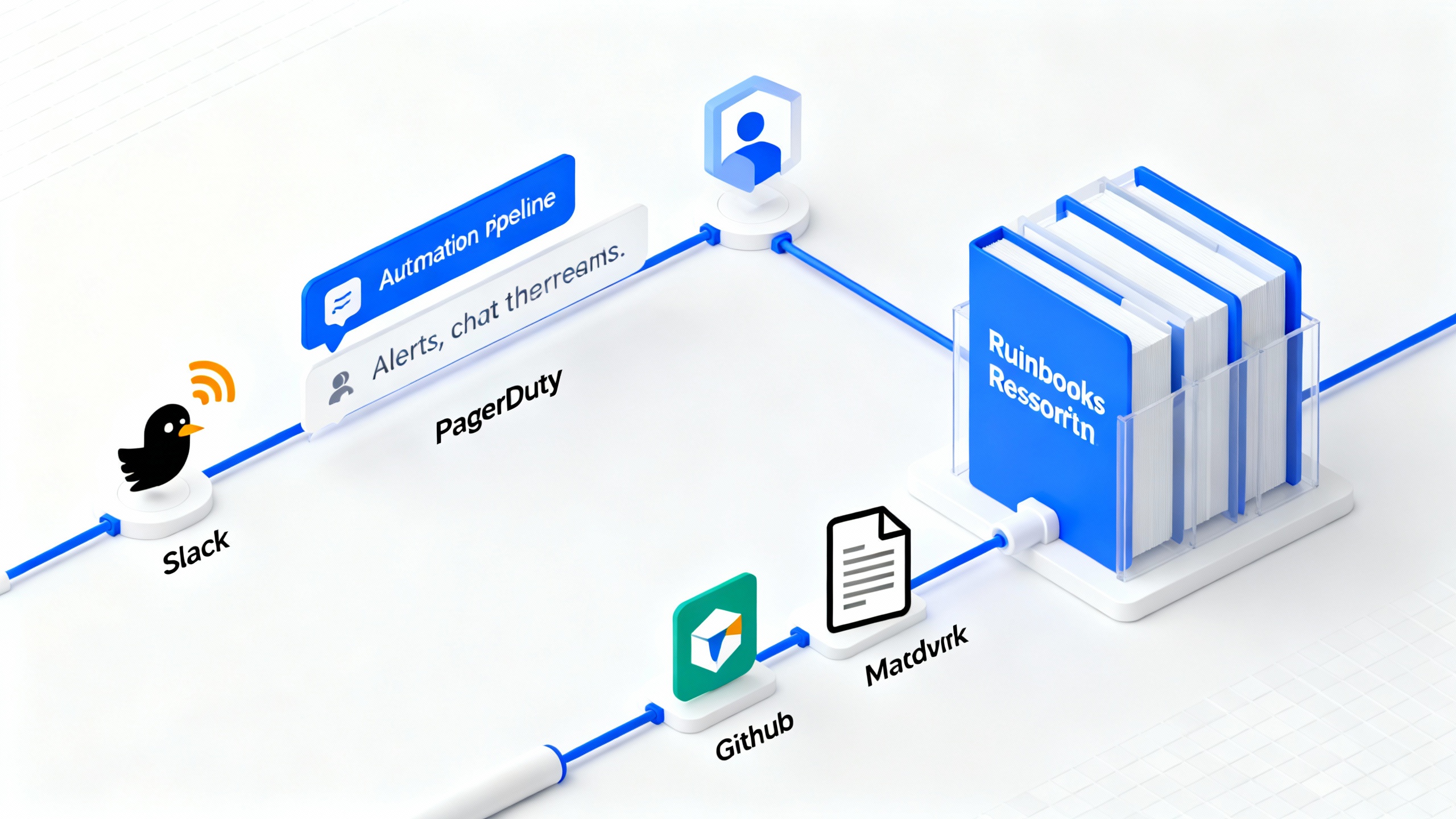
- Paging to PR: Use PagerDuty or Opsgenie webhooks to create a Markdown draft with incident metadata (service, severity, timeline) in your runbooks repo.
- Chat to Note: Turn Slack threads with the “incident” label into a draft via workflow automation (Slack Workflow Builder, Zapier/Make). Include links to logs/graphs.
- CI Checks: Add a GitHub Action that blocks merge if a new runbook lacks a rollback or escalation owner.
Step 6: Make It Discoverable at 3 a.m.
Operators won’t use what they can’t find.
- Consistent titles: “Diagnose X,” “Recover Y,” “Rotate Z.”
- Embeddings search: Layer vector search (e.g., OpenSearch k-NN, Vespa, or a SaaS semantic search) over Markdown so typos and synonyms still find results.
- Quick links: Put your top 20 runbooks as pinned links in Slack, your incident bot, and your on-call runbook homepage.
- Service catalogs: Link runbooks from your service catalog (Backstage, OpsLevel) so they’re one click away.
Step 7: Govern, Measure, and Keep It Fresh
Treat runbooks like product:
- Ownership: Each note has a DRI (directly responsible individual).
- Cadence: Quarterly “doc days” to test every high-priority runbook in staging.
- Metrics: Track views during incidents, PR throughput, and time-to-verify.
- Retire ruthlessly: Archive notes that are obsolete to reduce noise.
Link improvements to outcomes: lower MTTR, fewer escalations, calmer handoffs.
Common Mistakes to Avoid
- Writing for experts only: Make runbooks safe for the least-experienced on-call engineer.
- Skipping guardrails: Always document prechecks and rollback before risky commands.
- Mixing knowledge silos: Spread across wiki, tickets, and chat without a canonical home.
- Over-automating: Automation without human review can ossify bad practices.
Conclusion
You asked, “Where can I find operator field notes?” Start with trusted public sources, but the real win is building your own searchable, automated hub that captures what works for your stack. Standardize, automate capture, and review regularly. Your future on-call self will thank you.
For further reading: Google’s SRE Book, Atlassian’s Incident Management, and NIST’s SP 800-61.